For New Clients

Connect a Loan to Proficient Loan Processing in Arive

If you're a loan officer or broker using Arive, here's how to add April and her team as your Contract Processor and assign them to a file.

Step 1

Add Proficient Loan Processing to your team

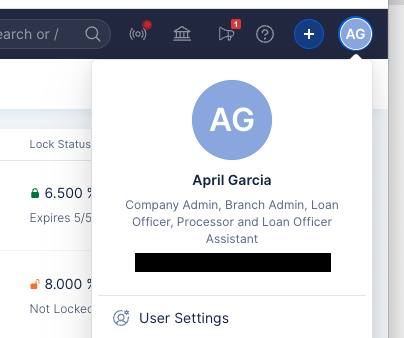
  1. Go to User Settings in the top right corner of Arive.
  2. Select My Teams from the left column, then click the blue Manage button on the far right.
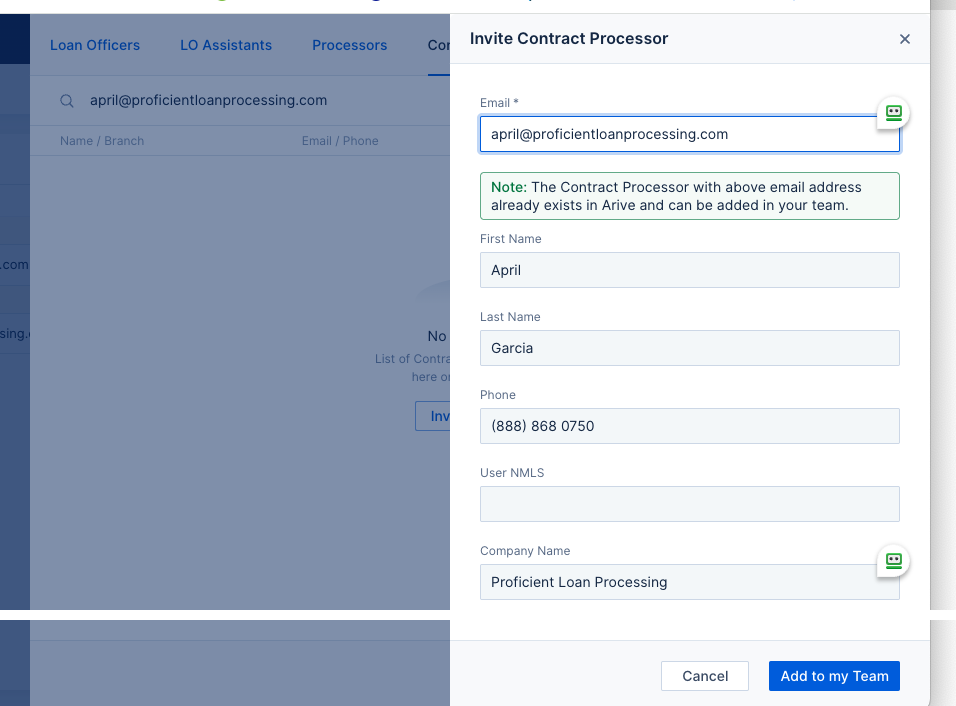
  3. Click Contract Processor, search April's email — april@proficientLOANprocessing.com — and select Invite.
  4. Click Add to my Team on the bottom right.
Arive top-right account menu showing the User Settings link
1. User Settings, top right corner
Arive My Teams screen with the Manage button
2. My Teams → Manage
Arive Invite Contract Processor form filled in with April Garcia's info
3. Invite Contract Processor — search April@proficientLOANprocessing.com → Add to my Team
Step 2

Assign April and her team to a loan file

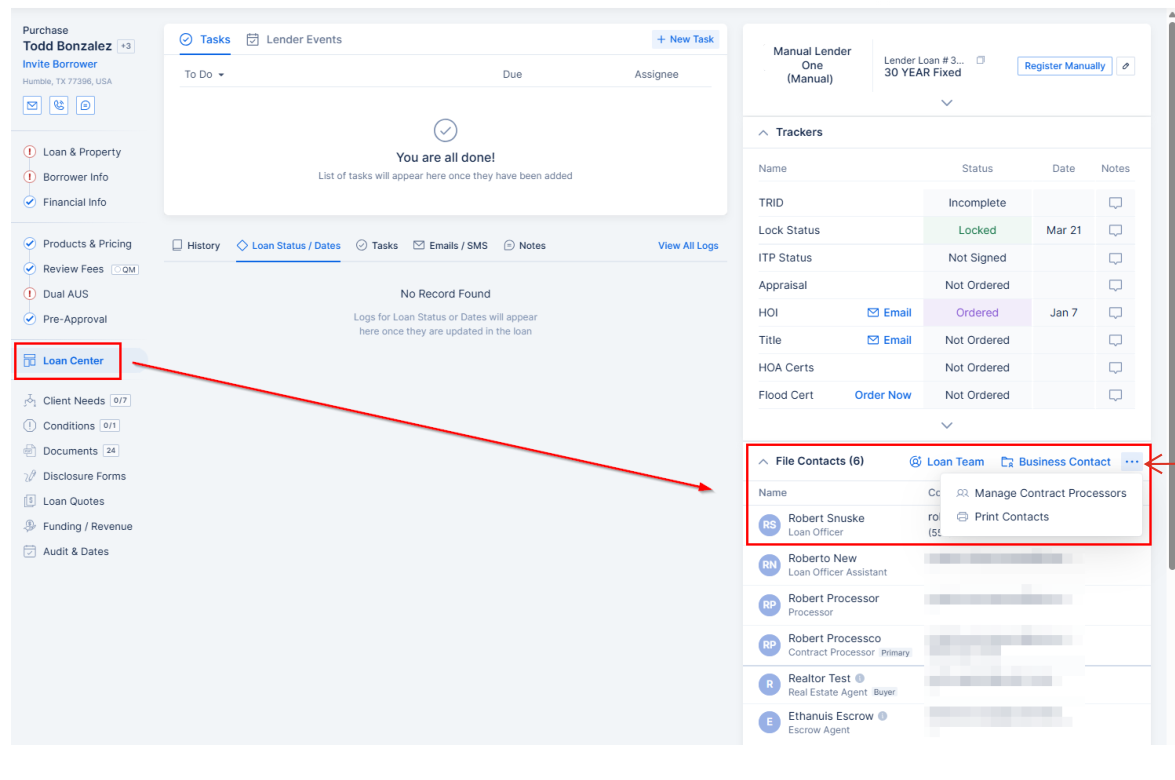
  1. Open the loan file and go to the Loan Center tab.
  2. Under File Contacts, click the "..." menu and select Manage Contract Processors.
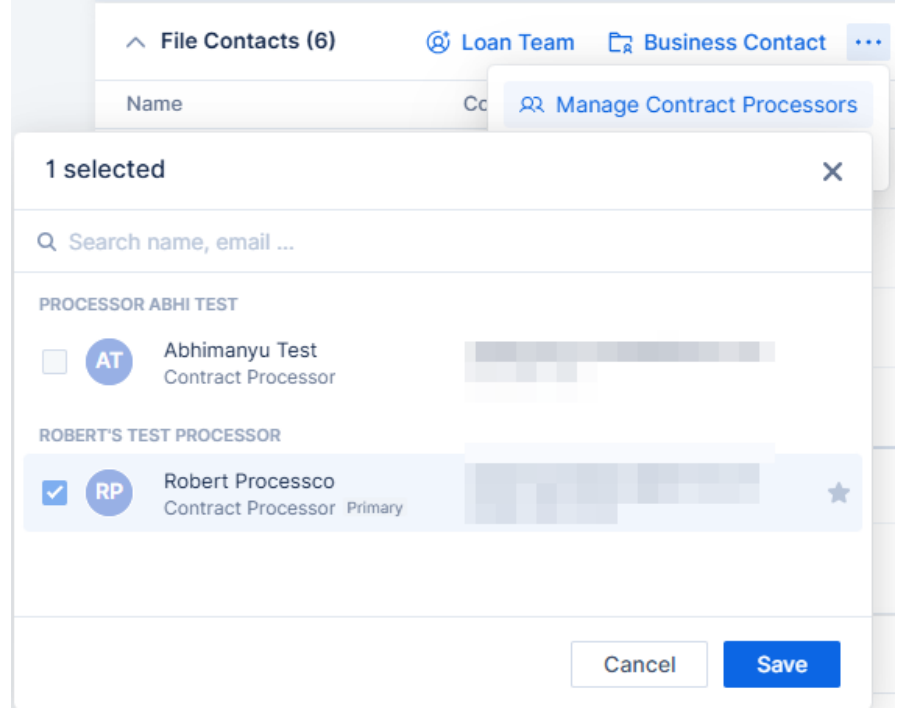
  3. Check the box next to April's name and click Save.
Arive Loan Center tab with File Contacts and the Manage Contract Processors menu highlighted
Loan Center → File Contacts → Manage Contract Processors
Arive Manage Contract Processors checklist
Check the box, then Save

Note: If your account restricts processor assignments, you'll see a "Request Processing" option instead. Click Request Now, fill in the processor type and submission type, and enter April's name so your admin can approve and assign her.

Arive Request Processing option with the Request Now button

Questions about getting set up?

Call 888-868-0750 or email april@proficientloanprocessing.com — happy to walk through it.

Contact Us